Wireless Network Design
Enterprise Wi-Fi built for real-world coverage: no dead zones, no dropped connections.
Designed, not guessed at
A wireless network that works in a demo but falls apart once the building fills with people, walls and interference wasn't designed. We survey your actual space, place access points around your real layout and size the network for your actual device count and guest traffic.
Four parts of a Wi-Fi network that works
Site survey & coverage
Mapping your space and planning access points around walls, floors and interference before anything gets installed.
Capacity planning
Sized for how many devices connect at once in each area, not just how big the room is.
Guest isolation
Guest Wi-Fi kept fully separate from your internal network, so visitors can't reach what they shouldn't.
Ongoing monitoring
Central management through Aruba Central or Ubiquiti's controller, so issues get fixed before complaints start.
Planned room by room
Conference rooms
A room with 30 laptops and a video call needs very different planning than a hallway.
Waiting & guest areas
Easy guest access that stays completely separate from your business systems.
Front desk & POS
Card readers, phones and check-in tablets that stay connected when it's busy.
Multi-floor buildings
Coverage planned through floors and walls, with seamless handoff between access points.
From walkthrough to monitoring
Survey
We walk the space and note walls, floors, interference and where people work.
Plan
Access point placement and capacity mapped to your layout and device count.
Install
Equipment mounted, configured and tested room by room.
Monitor
Central management keeps an eye on performance after go-live.
Millennium Dental
An office network redesign with wireless setup and firewall configuration, so the front desk, operatories and patient Wi-Fi each get reliable, secured access.
See all work →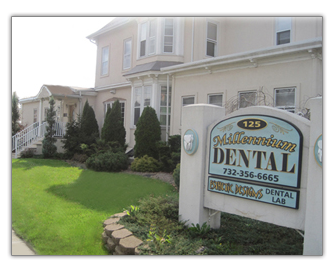
Why not just add a Wi-Fi extender or mesh kit?
Extenders and consumer mesh kits can fill a small gap at home, but in a business they often cut speeds and struggle with many devices at once. A planned network with business access points and a wired backbone holds up when the office is full.
How many access points will I need?
It depends on your floor plan, construction and how many devices connect in each area. The site survey answers that before you buy anything.
Is guest Wi-Fi safe for my business?
When it's isolated properly, yes. Guests get internet access while your computers, card readers and files stay on a separate network they can't see.
Can you fix the Wi-Fi we already have?
Often. We'll survey what's installed, adjust placement and settings, and recommend new equipment only where it's actually needed.
Tired of Dead Zones?
Let's design your wireless network instead of guessing at it.